
Toon Tone
Recommended Games

Game Introduction
Toon Tone is a color guessing game built around visual memory. Instead of asking you to identify a character by name, it asks something trickier: can you rebuild the exact color you think you remember?
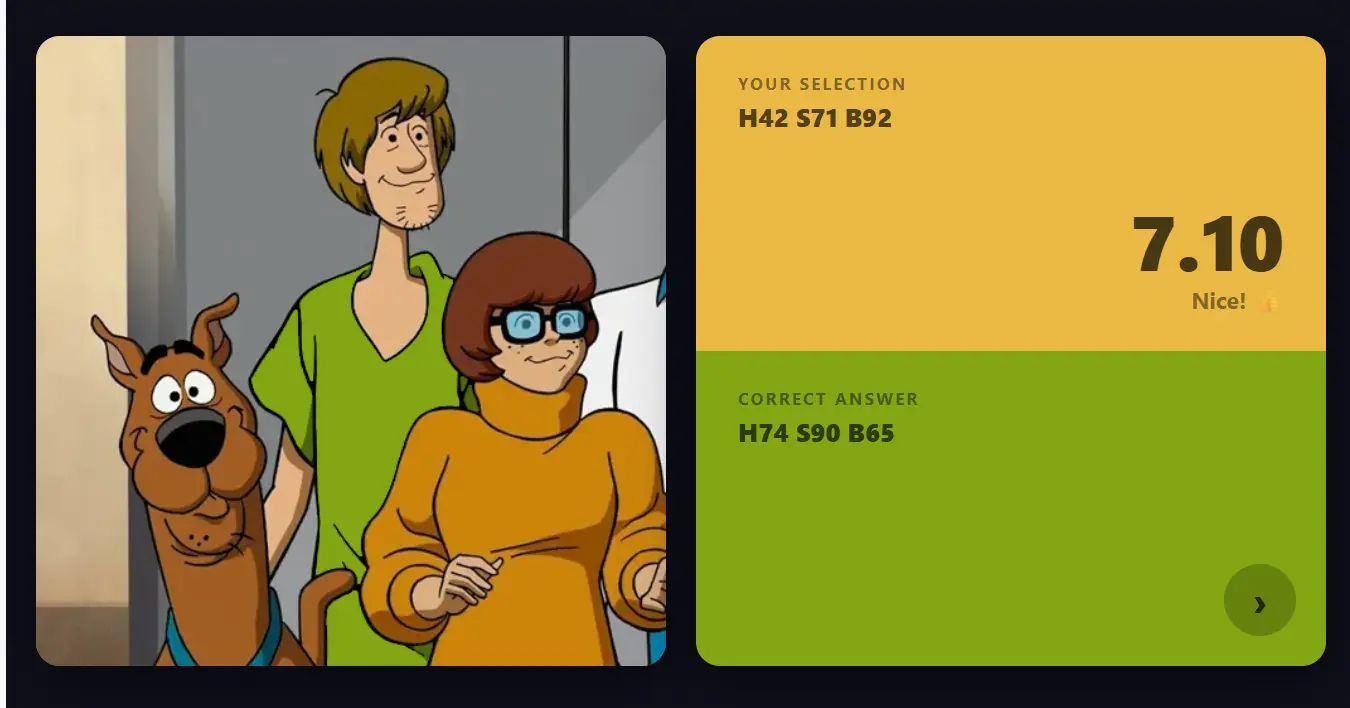
Each round gives you a cartoon-inspired target and a set of hue, saturation, and brightness controls. Your job is to shape a matching tone, submit the guess, and see how close your eye really was. As a color memory game, it works because recognition and precision are not the same thing: a color can feel familiar while still being surprisingly hard to reproduce accurately.
How to Play
- Open the game and study the target area you need to match.
- Adjust hue first to lock in the overall color family.
- Refine saturation and brightness until the preview feels right.
- Submit the round to reveal the original tone and your score.
- Finish the set and replay to improve your average or personal best.
Game Modes
Toon Tone keeps the core rules consistent across modes, but the amount of help you get changes. That makes it easier to treat one mode as practice and the other as the real test.
Why It Stands Out
- It turns cartoon color memory into the core challenge instead of using generic trivia or wordplay.
- HSB sliders make the interaction simple enough for casual players and meaningful for design-minded users.
- Short rounds create a clean retry loop, which makes improvement easy to track.
- Immediate reveal after each guess shows exactly where your perception drifted.
- No install or account is required, so the game stays lightweight and accessible.
Scoring
The scoring system is built around HSB accuracy rather than simple yes-or-no answers. Hue carries the most weight, while saturation and brightness refine the result. That means close guesses can still score well, but near-perfect matches are rewarded much more strongly than vague approximations.
In practice, Toon Tone works like a measured color memory game: you commit to a value set, reveal the target, and immediately see where your estimate drifted. That feedback loop is part of what makes repeated runs useful instead of repetitive.
Tips & Strategy
- Start with hue so you are working in the right color family before touching the finer controls.
- Do not oversaturate by default; memory usually makes cartoon colors feel stronger than they really are.
- Use brightness as your final separator because that is often where close guesses lose points.
- Make smaller corrections near the end instead of dragging sliders too far and chasing the result back.
- Review every reveal and look for patterns in your misses, especially if you keep guessing too warm, too dark, or too vivid.
FAQ
- What is Toon Tone?
Toon Tone is a free online color memory game where you try to recreate a target cartoon-style tone using hue, saturation, and brightness controls. - Is Toon Tone free?
Yes. You can play it in the browser without payment, sign-up, or download. - Do I need design knowledge to enjoy it?
No. The controls are straightforward, and the challenge is easy to understand even if you have never used color tools before. - How is the score calculated?
Your score depends on how closely your chosen HSB values match the hidden target color. More accurate matches earn better results. - Does it work on mobile?
Yes. Toon Tone is playable on phones and tablets, and the slider interface works with touch input.
Why Play Toon Tone?
- It gives you a fast, measurable way to test how accurate your color memory really is.
- It is easy to replay, which makes it good for quick breaks and score-chasing sessions.
- The feedback is specific enough to help you notice whether you missed hue, vividness, or lightness.
- It fits players who like cartoons, compact browser games, design practice, or unusual visual challenges.
- The entire experience is available instantly in a browser, with no setup barrier.